Showing posts with label Backdrop. Show all posts

Thursday, May 14, 2026

Backdrop Process Links

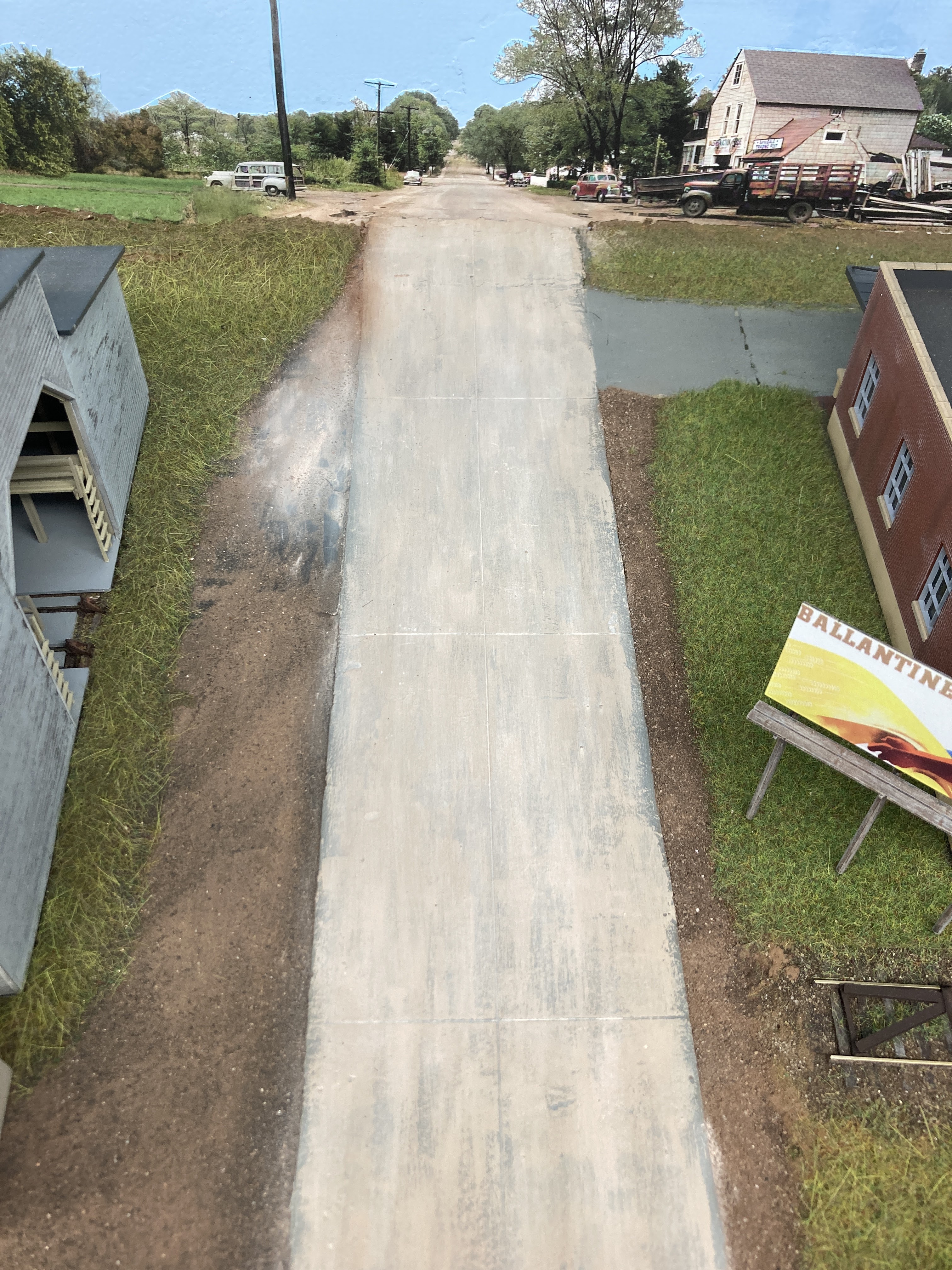
My recent backdrop efforts have garnered a bit of attention over at the Valley Local FB group, so I figured it'd be a good idea to put all the info on my process here in one place.

Here are the Cliff's Notes:

  • I take pictures with my iPhone of various landscapes and other subjects I think would make good backdrop fodder - usually shooting in the actual areas that I'm modeling.
  • I also use historic photos (again, preferably from my area and era) and colorize them.
  • Combine it all using Photoshop Elements.
  • Print as a banner at my local Staples.
  • Attach to the masonite using wallpaper adhesive.
Here are the helpful links:

Sunday, April 19, 2026

Playing with AI to Create a Backdrop (first tries)

My back still isn't, um, "back" to 100% so I can't get to the layout. But I can play around with Google Gemini (an AI program) to try and create some more backdrop images to fill in behind the foreground buildings at the north end of Middletown . . .

I started by asking Gemini for "fronts of factory and mill buildings, viewed straight on" and got this image that included 4 images.


I then used the MS snipping tool to crop & save each of these images as a separate image. The one at the top left ("Riverfront Textiles") is fine to use as-is, but the others need to be rotated. So, I started with the image in the lower right ("Pinewood Paper"). Here are the screenshots of exactly what I did . . .


Not fantastic (when I rotated it, I lost a bit of the character of the varied roofline), but pretty darn good for less than 5 minutes' work.


I'll do the same thing with the other images and then see how they look. But HOLY COW! For someone like me that enjoys creating photo backdrops, Google Gemini is an amazing tool!

Just check out this before-and-after . . .

Here's the image I started with:

Point A

And here's what I ended up with:

Point B

Still a bit too "peak autumn" looking for my layout (which is set more in early Autumn), so I'll be doing some PhotoShop work to get it into final form, but from the B&W image to the image above took me no more than 7-10 minutes, if that.

Truly amazing!

I can't even imagine how long it would have taken me to get this result by regular PhotoShopping - even if I had all the skills needed. And this is certainly a long way from "just" colorizing a B&W photo (which I've been doing for over 5 years now - here's my original post on that, and the RMC article).

I actually screenshotted the nine separate instructions I used to get from Point A to Point B. So if anyone's interested in seeing those, let me know in the comments or contact me directly. It really is shockingly easy.

I'm not a huge fan of AI in most other contexts, but for making backdrops for your model railroad? I'm finding it pretty hard to beat. It's definitely a remarkable time to be in the hobby.

So give it a try - and if you do, I hope you'll let us know!

Saturday, March 25, 2023

Continuing Progress at Essex: Concrete Pad & Backdrop

Persistence in my quest to catch up on this here blog is paying off . . . With this progress post, I'm now only one week behind(!) Thanks much for the encouragement to keep up with the blog - it's a bit more work than the FB group, but here I can post more detail, info, and pics - and I own the content.

So without further ado, here's what I was up to last Saturday . . .

Concrete Pad at Dickinson Witch Hazel


I used the same technique I used for the grade crossings on this concrete pad. The main part of the pad itself is foamcore with the paper peeled off (Pro Tip: Use the $2.99 foamcore from Hobby Lobby - the paper will peel off in large sheets without leaving bits of paper on the foam) and painted with gray craft paint. The track is Micro Engineering Code 70, already painted with a base coat of Rustoleum Earth Brown camo paint. I didn't bother weathering the ties since they'd be covered by "concrete." The guardrails are also Code 70 - same height is important to keep the "concrete" all level. I used Xuron rail nippers to cut the guardrails to length, used needlenose pliers to bend the ends, and used my fingers to give the rails a slight curve to match the track. Then I used thick CA (my go-to brand lately is the Loctite pictured above) to glue the guardrails onto the ties, snug up against the tieplates/spikes.


Next, I used the Tamiya 3mm curve-able tape (pictured in the previous post) to mask the flangeways and painters tape to mask off the surrounding area to protect it from the spackle.


I then spread on the spackle using a piece of dense foam to spread it. I would have used a putty knife, but I discovered that the foamcore is ever so slightly thicker than the ME Code 70 track is tall. So, to blend the difference without a visible step, I used something more flexible than a metal putty knife to spread the spackle.


As with the grade crossings, I needed a second coat to smooth it out better after the first coat had dried and shrunk.


The Big Reveal is always fun - here, I've removed the Tamiya tape to uncover the flangeways. Oh So Satisfying


And here's the final result after removing the painter's tape. I still need to paint the spackle/concrete to match, but I decided I was done here for now...

Essex Backdrop

I used the same basic process (outlined here) that I've used elsewhere on the layout (click here and scroll down). Additional details can be found in the hyperlinks, but here's a quick overview:


The process starts with gathering together the photos I've taken of the area modeled - or, if I don't have or couldn't get any, then shots that "look like" they may have been taken in the area - and Photoshop them together. In this case, I had to add a couple of roads to match the two roads in the Essex station area I'm modeling. Fortunately, I was able to get an actual shot looking northbound on Plains Road to include the "Yellow Label" store (part of the Dickinson complex - click on the photo above for a larger view - the store is there in the trees on the right).

Next, I print out a mockup on regular copy paper to finalize overall look and position. Once I'm happy with that, I save the .psd file to a .pdf banner file. I take the pdf to my local Staples store to have them print it out on their indoor polypropylene banner paper. This particular backdrop was almost 15' long, so I divided it into two sections and had it printed one section on top of the other. The whole backdrop you see above was about $34.00


Other than the Photoshop work, the most time-consuming part of the process is trimming along the tops of the trees to remove the sky. Pro Tip: be sure and match the sky color on your backdrop image to the paint color you use on your masonite (or preferred backdrop support). That way any top "border" left after trimming will just about disappear. In the photo above, I've finished all the trimming (incidentally, while hanging out with the AML Wednesday night chat group) and it's ready to mount.


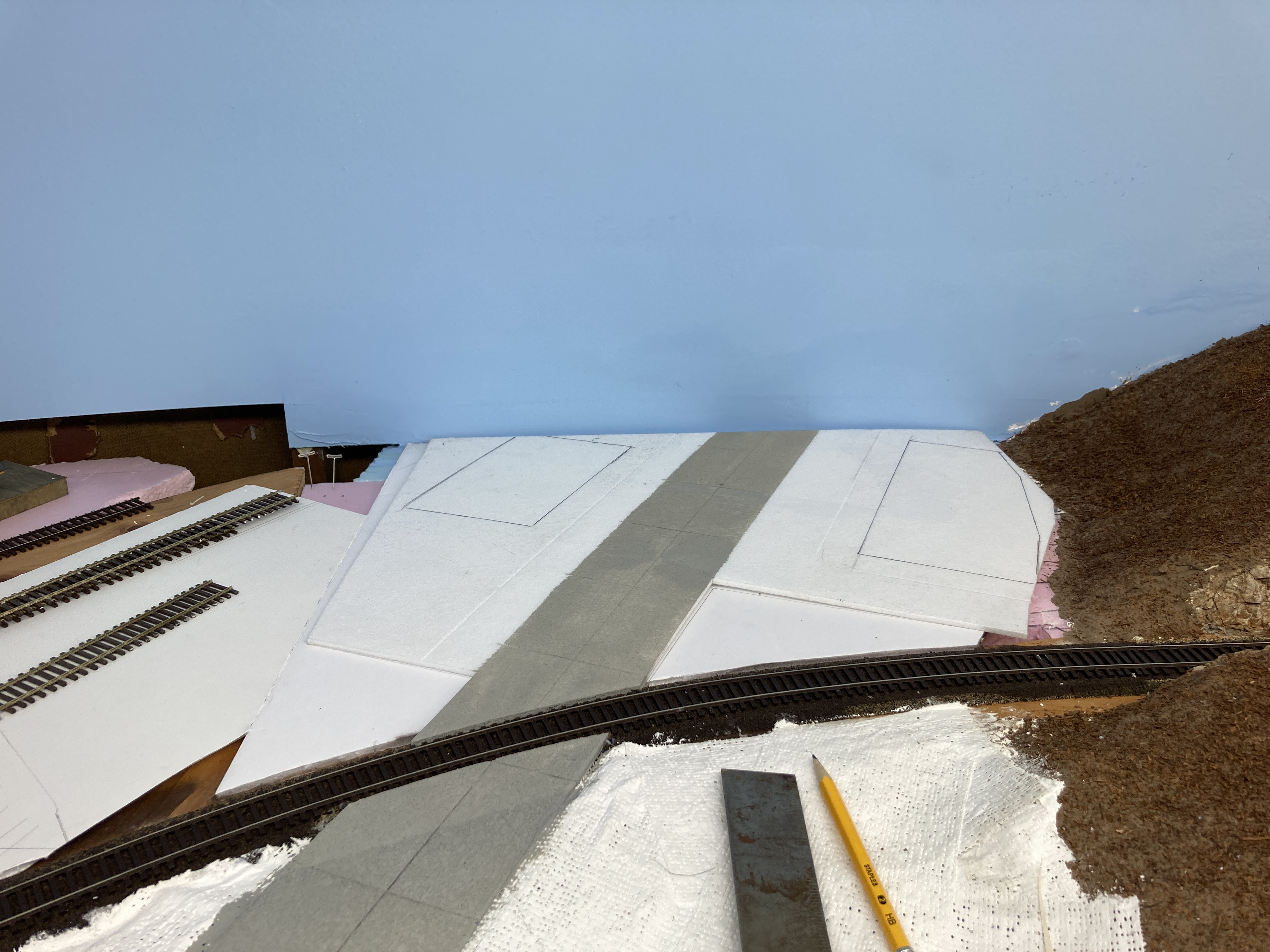
So here's what we're starting with... Just plain blue masonite. That's Middlesex Turnpike (Rt. 154) heading toward the backdrop, and you can see the Dickinson concrete pad/foundation and coal dump there on the right.


And looking the other way... that's Plains Road (Rt. 153) on the right. The Yellow Label store will be on the backdrop there on the left side of the road. In order to make vertical positioning easier, I cut a gap between the horizontal layout base and vertical backdrop. The backdrop photo will slide down into that gap.


I use wallpaper/border adhesive to attach the backdrop to the masonite and I have some water on-hand to wipe off any adhesive that oozes out (though I try not to let that happen).


The positioning process involves scooting the backdrop down into the gap/slot and making sure it's level and at the right height. In the past (and as you see above), I've marked where the top of the backdrop falls with tape - since that would show me the maximum height to apply the glue. But in my case, the tape ended up taking some of the sky blue paint with it when I removed it.

So now, instead of bothering to mark where the top of the backdrop falls, I just apply adhesive to the lower part of the masonite, staying well below where I know the top of the backdrop will be, attach the bottom part of the backdrop, then apply more adhesive to the top part/back of the backdrop itself and finish attaching it, smoothing it as I go. If any adhesive oozes out of the top, I wipe it off with a rag or paper towel dipped in the water.


I'd planned ahead for 1) the backdrop being in two pieces given its long length, and 2) the seam between the two pieces being behind the big Dickinson warehouse where it wouldn't be seen. That turned out to be an even better idea than I'd planned since - despite my best efforts/planning - the two sections didn't match height-wise (likely due to how I had to position them at the roads). There was also a lot more overlap than I'd expected, so I ended up having to trim the end off of one side. But again, you don't see any of this behind the warehouse.


And here's the payoff for all the work... What a difference a backdrop makes! Compare this to the "before" photo above for the full effect. I especially like how the road ended up blending into the backdrop. But, speaking of blending, I have a lot of work left to do to blend the foreground scenery into the backdrop...


And here's the "south" end of the Essex station scene. Click on the image for a larger view to be able to see the Yellow Label store down Plains Road.

I don't think I'm alone in lamenting about how little progress I make on the layout - Real Life has a way of interfering. But one of the unexpected benefits of taking the time to document and recount my progress here is being reminded of how much I'm actually accomplishing.

Of course, the prospect of getting feedback and encouragement from you all is another great reason to post here as well as on FB. And of course, keeping a (b)log my techniques helps me keep track of what's worked in the past - and what hasn't. You've hopefully noticed the hyperlinks to past posts I pepper throughout for reference - I find those especially helpful and hope you do too.

While I'd hoped to be "done" with scenery in Essex by now, I decided to take a break to get some more terraforming done north of Essex to East Haddam. I'll be tackling that in the next post . . .


Wednesday, May 18, 2022

Wordy Wednesday: (Lots of) Progress Report

There's definitely an inverse proportion of layout progress to blog posts. You wouldn't think that would be so, but it's certainly true in my case. The more progress I'm making, the less time I have (or want to take) to blog about it. Facebook actually makes it easier to put off blogging, since I can post quick updates to my Valley Local group page (and get pretty instant feedback too).

So the lack of posts doesn't necessary mean lack of progress - and in this case, it's been just the opposite. Here's a (hopefully) brief rundown of activity since my last progress report:

Wethersfield Backdrop @Jordan Lane
I mentioned in passing that Deb (aka The Missus) had helped me with some color choice for blending the foreground road with the background road at Jordan Lane. Here's how I went about it...

I should have taken a "before" photo, but here it is in progress... The foreground is what the entire road looked like (and as documented in this post - included a *fail* for using actual concrete). It was WAY too different from the color of the background road. So I got a craft paint color that matched the "overall" color of the background road and applied it with a 1/4" wide brush, not worrying about (and actually embracing) the variation that resulted.


I then blended it all in with a slightly lighter color of Pan Pastel.

Lastly, I used black PanPastel to add "oil marks" down the middle of the lanes, even carrying them up slightly onto the backdrop. I think you'll agree the road looks MUCH better now than how it started out!

Continuing Cromwell
I realize now that I never did a post starting Cromwell, so just by way of a quick overview...

I used foamcore (with the paper peeled off) for Main Street (aka Middlesex Turnpike), and a combo of cardboard strip lattice and plaster cloth for the subterrain. Then I started playing with structure placement, guided by my embryonic Cromwell backdrop.

For the sidewalks, I decided to try these laser-cut MDF ones that I got for Christmas.

I laid the structures out on top of chip board that was the same thickness as the sidewalks (about 1/16"). These cutouts would form the base/foundation for the structures and raise them up even with the walks.

Alternately, I made a sidewalk/structure base combo out of foamcore (again, with the paper removed) for the station. After scribing in the lines, I painted this "concrete" with Apple Barrel Country Grey.

The road "north" of the tracks, as well as the subbase for the town structures, was cut from one large piece of foamcore. Like with all my foamcore, I remove the paper to reveal nice texture for concrete roads - it's also impervious to water (no warping) and is easy to scribe. Here, after scribing in the expansion joints, I've masked off the road for painting.

Main Street and town subbase in place, with structure base outlines marked in.

Mine is a very slow, iterative process - especially when it comes to structure placement and backdrop positioning.

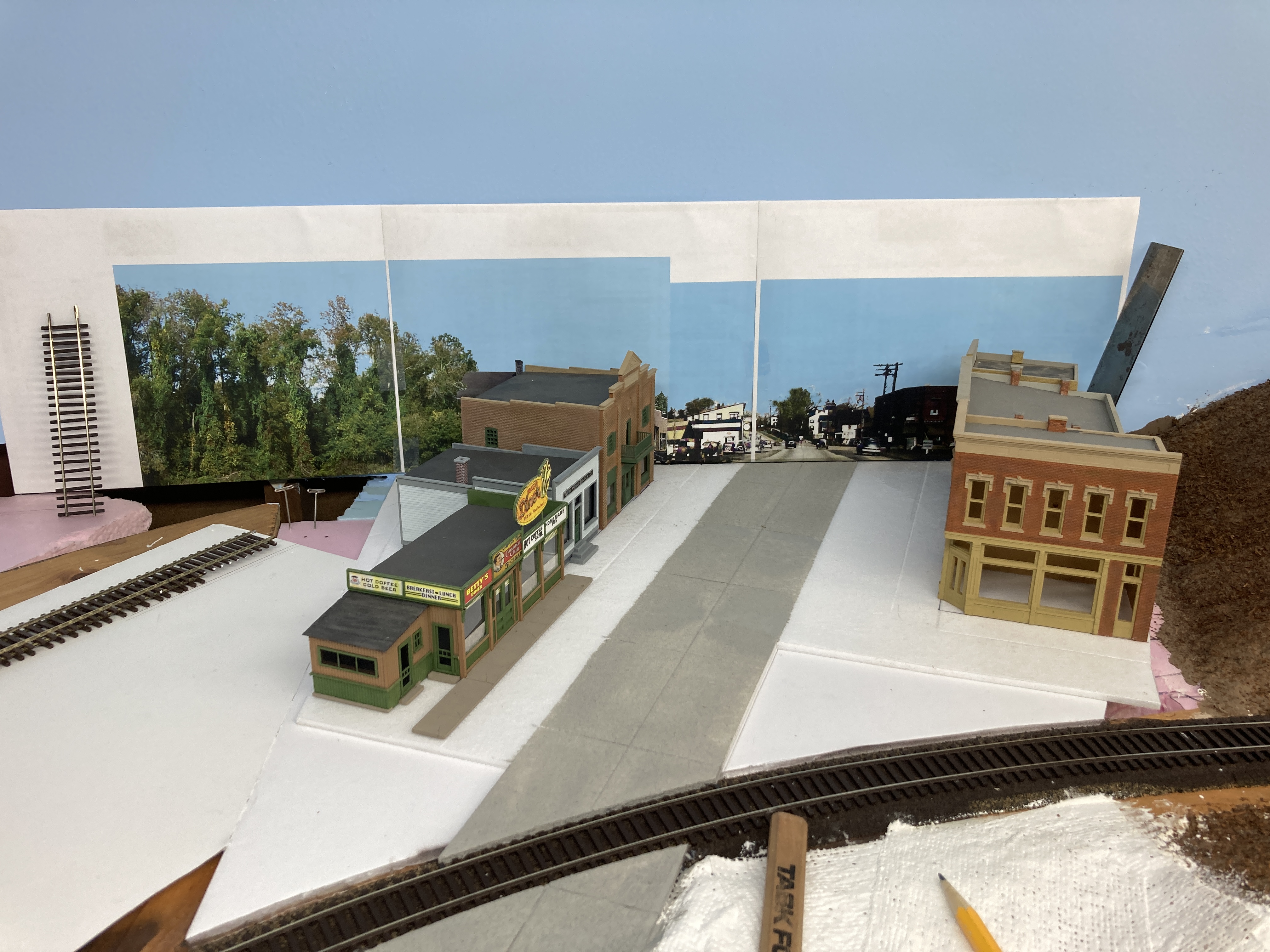
But all this time pays off when you get the result that looks "right" to your eye - like this.

One of my biggest challenges is actually committing - whether it's gluing down structures, or sending a photo-shopped background image to be printed. But at some point, you have to "Just Do It" or be paralyzed by over-analysis. Here's the final Cromwell backdrop. It won't stand the scrutiny of eagle-eyes, but should work fine as a background for the main activity up front.

Once I got the final background print, I realized that the road color was a little off. So I repainted it to better match and I glued down the foam core (brushed on full strength white glue), glued on the structure bases, and weighed everything down. 

Once that was all dry, I masked off where the sidewalks would go, applied some craft paint for color and adhesion, and sifted on fine dirt in the parking areas (per prototype photos).

The paint I used as a base for the dirt was Apple Barrel Pewter Gray, to match the undertone in the shoulders/parking areas of the background photo. I sifted the dirt on using a tea strainer.

While that was all drying, I used Folk Art "Barn Wood" to paint the sidewalks.

Taping them down kept them still while I used a 1/4" brush to paint the top and curbs. I didn't worry too much about brush strokes - you won't see them from the aisle and whatever your eye happens to pick up will perceive them as texture. At least that's true to my eye. YMMV.

And here's where things stand in Cromwell at the moment. I used the rest of my old Ground Goop to fill in behind the structures and fill the "triangle" between the road and tracks, and added fine ground foam (WS Burnt Grass and Green Blend) as a base for future static grass. I even used my new WS Static King for the first time to apply some grass between the buildings and the backdrop. But as you can see, I still haven't committed to gluing the backdrop in place (I really don't know what I'm waiting for). Ditto the sidewalks. BTW - note the track, how uniform it looks (shot with rattle-can Rustoleum Camo Earth Brown).

For a little diversion, I decided to finish off the grade crossing in Dividend. The gray you see is all foam core (without paper). I've filled in with DAP Vinyl Spackle.

Turns out, the spackle is really smooth and has none of the "concrete" looking texture of the foam core. But colored right it doesn't look too obvious (though I'll be looking for an alternative patching material - may try plaster). The spackle was first painted with the same base color as the road, then weathered with PanPastels. Did the same with the large parking/truck area (including oil/grease drips under where the engines of the loading trucks would be).

Remember the uniform-looking ties? Well, I spent a fun evening (truly!) listening to a couple of podcasts and drybrushing ties. Click here & scroll down for details on the process I use. IMO, the results are VERY much worth it!

So there you have it - progress over the course of a few weeknights and a weekend. It's still glacially slow, IMO, but at least I continue to move forward.

But now, I have some "honey-do" items that The Missus has been kind enough to let me postpone while I recover from legislative session. It's getting warmer though, and those projects can't be put off any longer. They're all outdoor projects, so don't be surprised if I pray for a little rain now and then! >:^)

Until next time - hope to see you back in Cromwell soon!